March 2nd, 2026
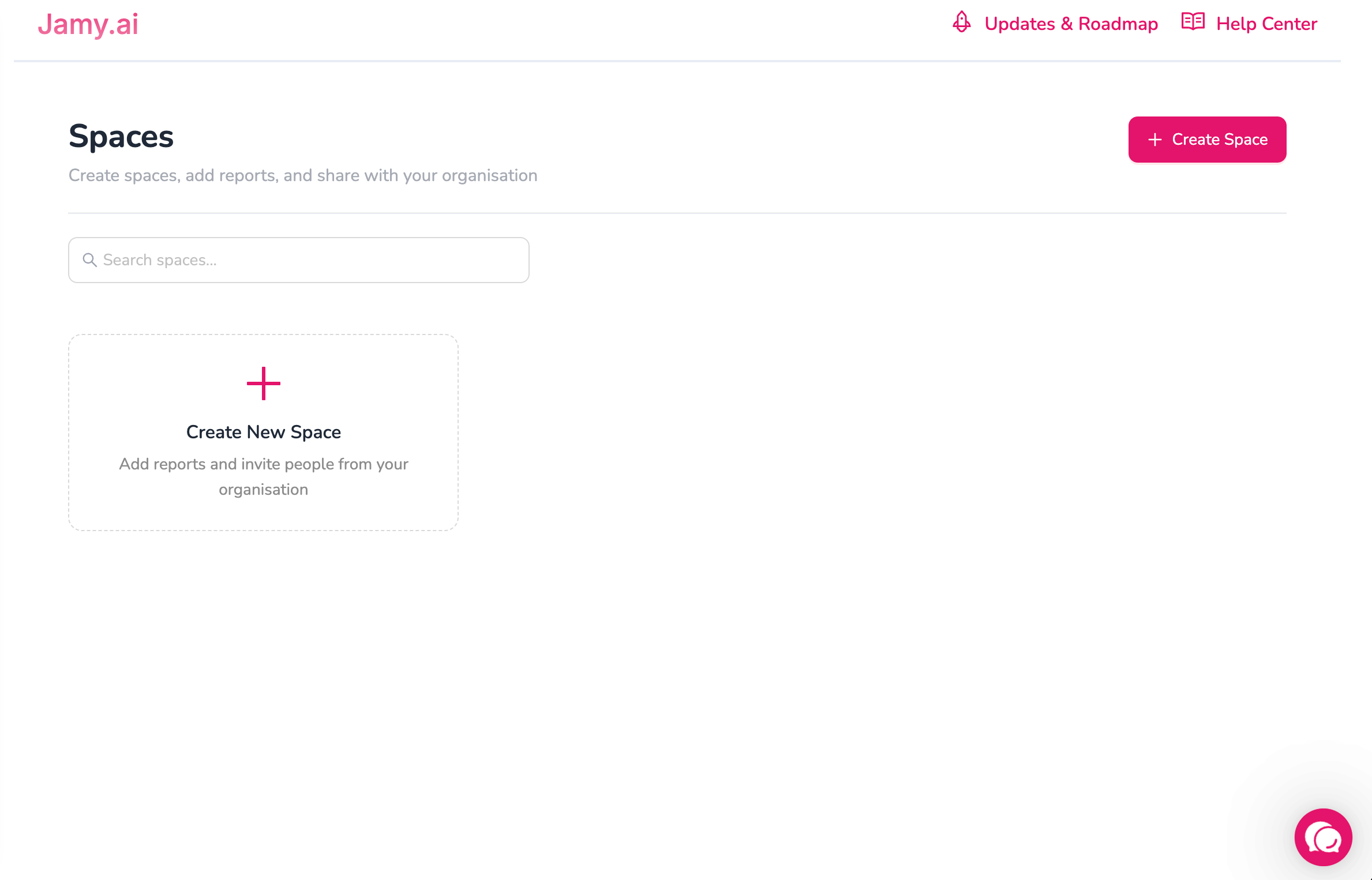
You can now organize reports into shared Spaces with clear ownership and access control.
✨ What’s New
Create Spaces to group and manage reports with your team
Invite organisation members to Spaces
- Only users from the same organisation can be added to a Space.
- All reports shared within a Space are accessible to every member of that Space.Add reports to Spaces from:
Recordings page (bulk add)
Report details page (single add)
Anyone in a Space can add reports
Any user who is a member of a Space can upload or add reports to that Space.Remove reports from Spaces
Space Owners can remove any report from the Space
Report Owners can remove only their own reports
Leave a Space anytime your added reports stay in the Space


🔐 Permissions & Access
Space creators are Owners and have full control
Only Space Owners can:
Add or remove members
Delete a Space
Anyone with Space access can add reports
Report editing is owner-only
Others have view-only
✅ Why this matters
Spaces make collaboration easier while keeping your data secure and ownership crystal clear.
February 17th, 2026
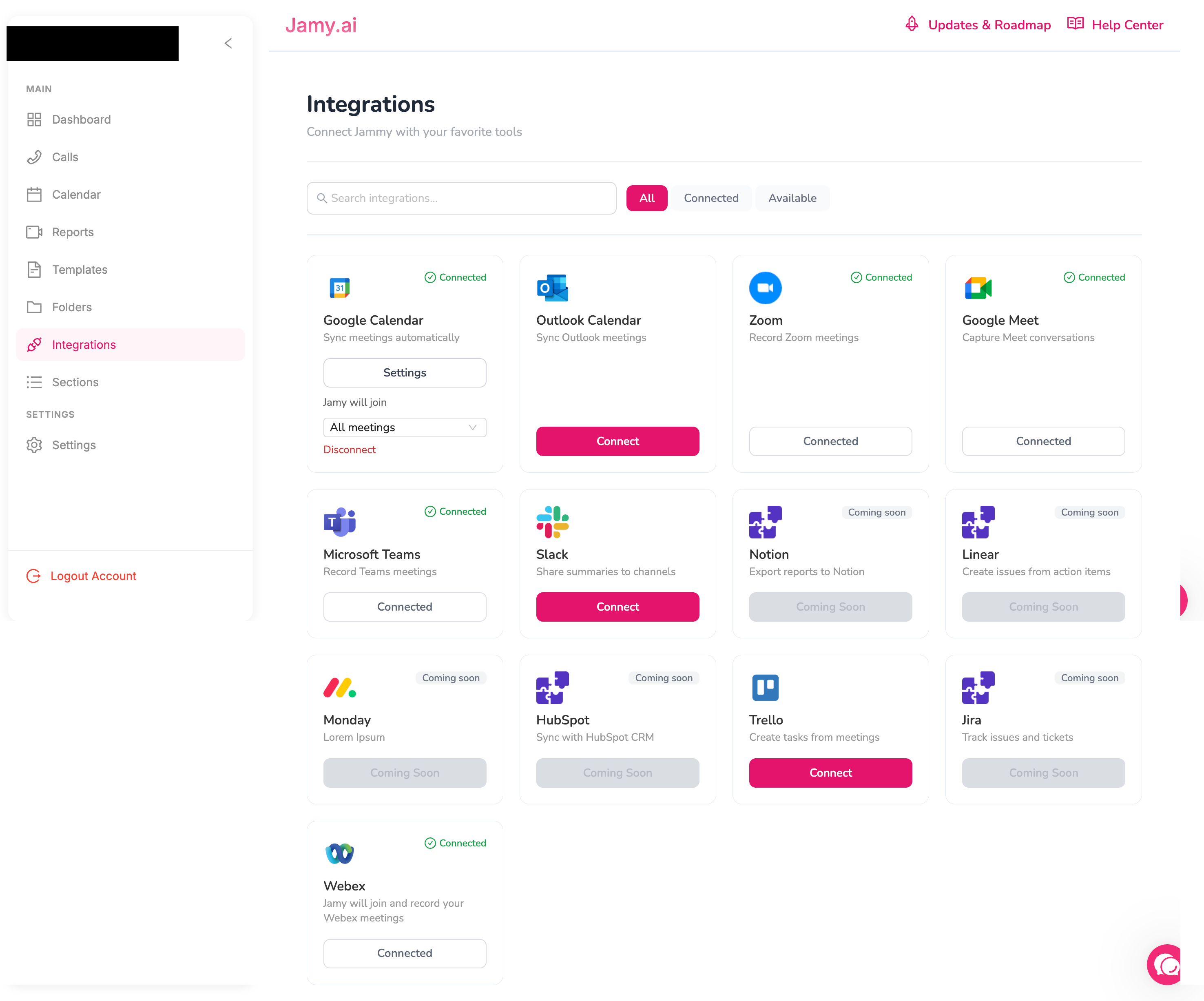
🧩 New Template Screen
The separate “Sections” step has been removed to reduce confusion. You no longer need to go back and forth to create sections : sections can now be created directly within the template form in one single flow.
Added a new option to grant edit access to your entire organisation with one click.
📁 New Folder UI
📅 New Calendar UI
🔌 New Integrations UI
Introduced filters on the Integrations screen.
Easily view connected, disconnected, and other integration states.
🧱 New Section UI
💬 We’d love your feedback!
Try out the new updates and let us know what you think or what we can improve next.
October 22nd, 2025
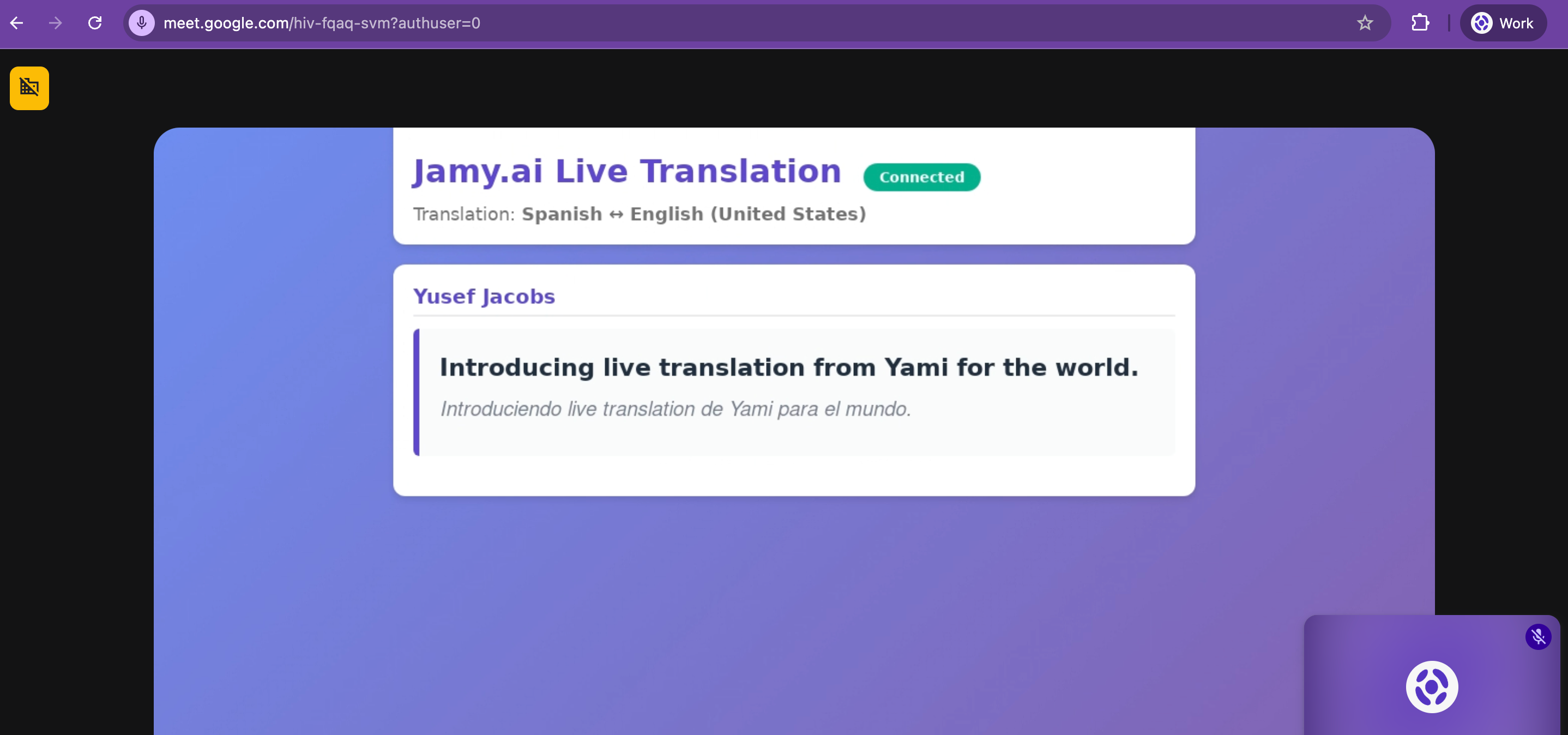
We’re thrilled to announce one of Jamy’s biggest updates yet — Live Translation.
Now, with Jamy’s Chrome Extension, you can translate meetings in real time across Google Meet, Zoom, Microsoft Teams, and Webex.
No more language barriers. No more missed context. Just seamless communication — anywhere in the world.
🧠 How It Works
1️⃣ Install the Jamy Chrome Extension here
2️⃣ Join any meeting on Google Meet, Zoom, Teams, or Webex
3️⃣ Choose the two languages spoken on the call
4️⃣ Jamy will automatically display real-time captions and instant translations between both languages
It’s that simple — and that powerful.
💼 Why It Matters
🌍 Go Global, Effortlessly — Collaborate with teams, partners, or clients in any language.
💬 For Sales Teams: Close deals faster by breaking language barriers on discovery or demo calls.
🧑💼 For Recruiting Teams: Interview international candidates with confidence and clarity.
✨ For Everyone: Unlock global communication with a single click.
💸 Available Now
This groundbreaking feature is available via the Live Translation Add-on, including:
7-day free trial
60% discount for a limited time after your trial.
Subscribe here.
🚀 Why It’s a Game Changer
Jamy is redefining what it means to have a global team.
With Live Translation, anyone can collaborate, sell, or hire across borders — instantly and naturally.
Don’t let language hold your team back.
👉 Install the Chrome Extension and start your free trial today.
—
The Jamy Team 💜
August 13th, 2025
New
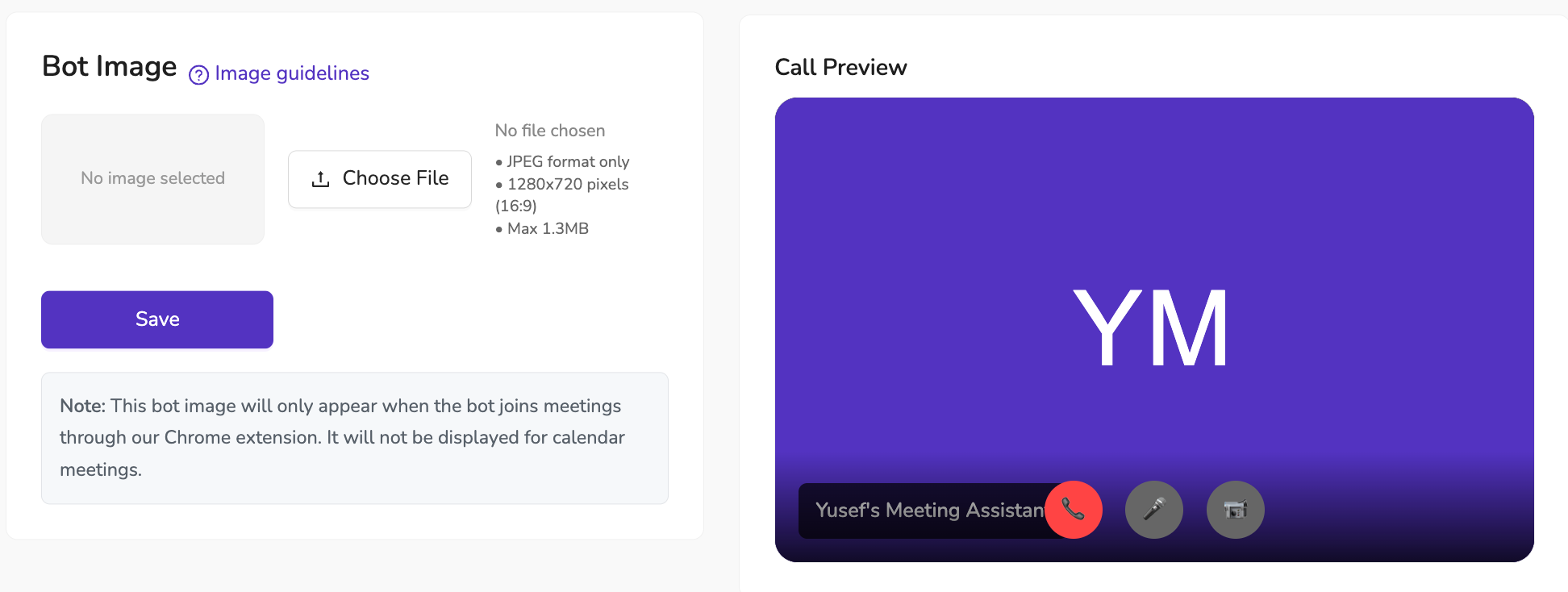
We’ve just added a new way to make your Jamy Meeting Assistant truly yours — you can now upload a custom image that will be displayed when the bot joins a call.
📌 How it works
The image appears when Jamy joins meetings via our Chrome extension
Supports JPEG format, 1280x720 (16:9), up to 1.3MB
Each user in your organization can set their own image, making Jamy unique to them
✨ Why it matters
Personalization isn’t just about looks — it helps your meetings feel more professional, on-brand, and recognizable to your participants. Whether you choose your company logo, a team mascot, or something fun, it’s an easy way to make Jamy stand out.
💡 Available to all plans — no upgrade needed.
📍 To set yours: Go to Settings → Branding & Customizations → Bot , upload, save, and Jamy will show your style in the next meeting.
July 16th, 2025
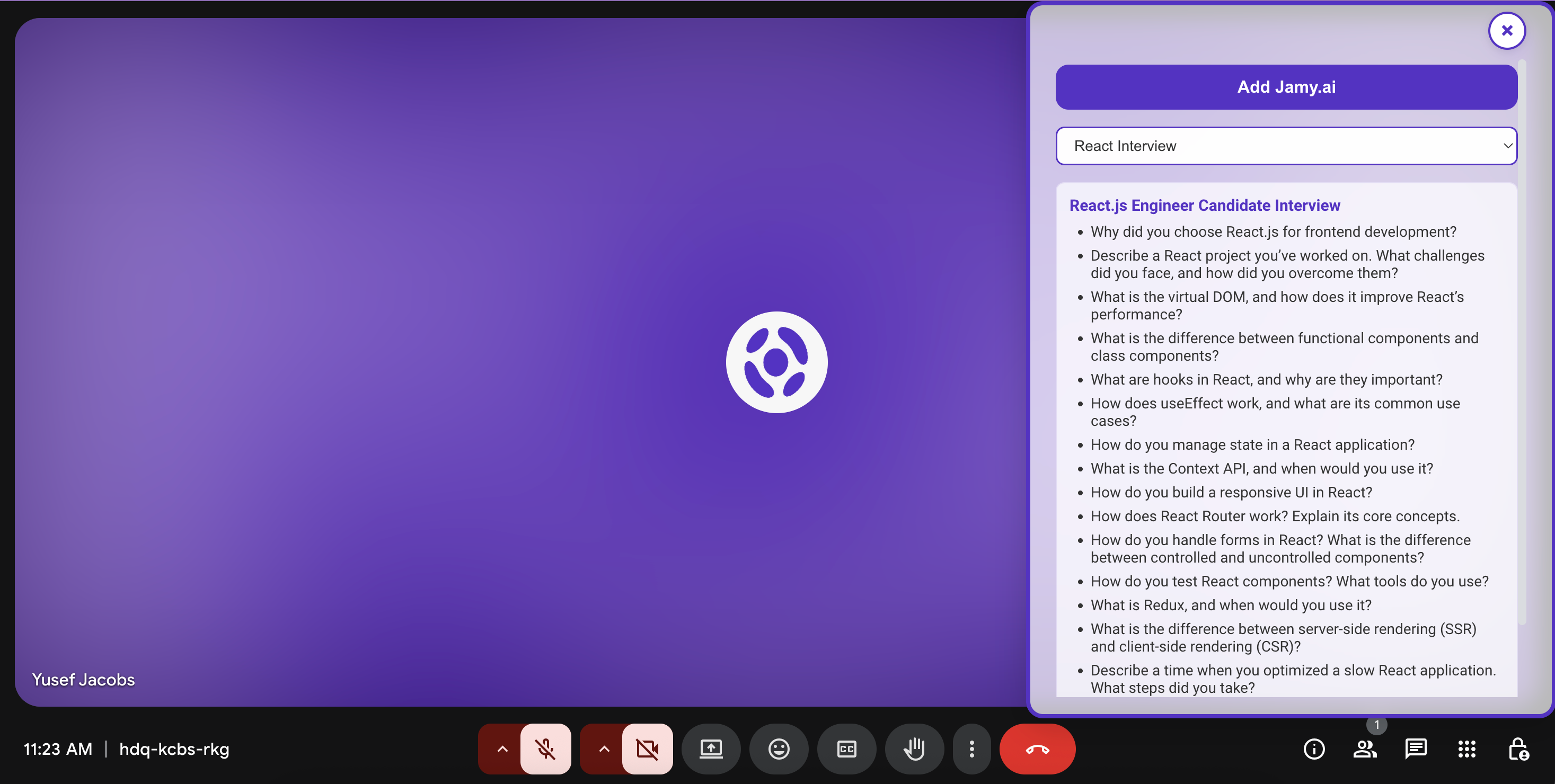
We’ve just launched a deceptively simple but game-changing upgrade:
You can now view your custom template questions inside the meeting screen.
No more switching tabs. No more scrambling to remember your talking points.
Install the extension here
🧠 Why This Matters
Even though it sounds small, always having your agenda in front of you completely changes the way you run meetings.
Whether it’s an interview, a sales pitch, or a project sync — staying on track has never been easier.
🔹 Just select your template
🔹 Instantly see your questions in the meeting
🔹 Stay focused and confident throughout the call
💡 If you haven’t installed the Jamy Chrome Extension yet… you’re missing out.
We’re just getting started — more powerful in-call features are on the way soon.
📥 Get it now and make every meeting count: Install the extension here
—
The Jamy Team 💜
July 10th, 2025

You can now download any Jamy report as a PDF — perfect for sharing, saving, or attaching to other tools.
🔧 How It Works:
Open any processed report
Click on the Share Report button
Select Download as PDF
That’s it! Your meeting summary, action items, and highlights will be exported into a clean, professional-looking PDF file.
🎨 Add Your Own Branding (Premium only)
Want your reports to reflect your organization’s identity?
Premium users can customize PDF branding by uploading:
Your organization’s logo
Your brand color
This branding will appear on the header of every PDF report, giving your docs a polished, on-brand look.

To customize branding, go to:
Settings > Branding & Customizations > Email White Label
📎 Whether you’re sending follow-ups, attaching reports to a CRM, or archiving for compliance. Jamy’s new PDF export has you covered.
—
The Jamy Team 💜
July 9th, 2025
Improved
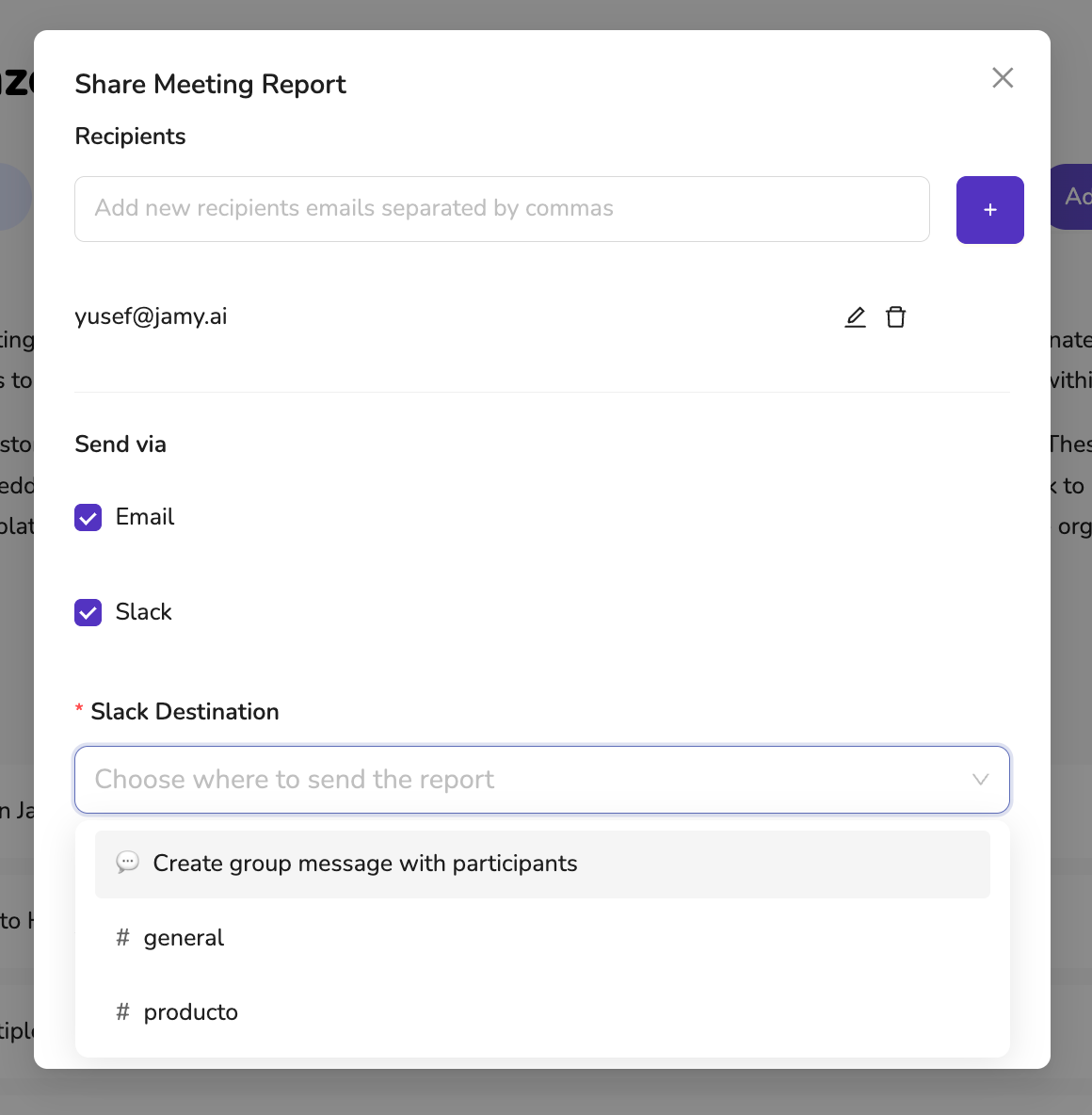
Sharing Jamy reports just got smarter and more flexible.
Now, when sending reports via Slack, you can choose exactly where they go—whether that’s a specific channel or a direct group message with the meeting participants.
🔧 What’s New:
✅ Slack Channel Selection – Pick from a list of Slack channels you’re already a member of. Jamy auto-filters the options so you only see channels you can post to.
✅ Create Group Messages – Don’t want to use a channel? Jamy can automatically create a Slack group DM with all meeting participants.
✅ Fully Integrated Workflow – Send to Email and Slack in the same flow, all in one click.
📍 How to Use:
Open any report
Click Share Report
Select Slack as a destination
Choose a channel from the dropdown — or opt to create a private message thread with participants
Click Send Report
With this update, your meeting notes now land in exactly the right place—every time.
—
The Jamy Team 💜
July 2nd, 2025
New
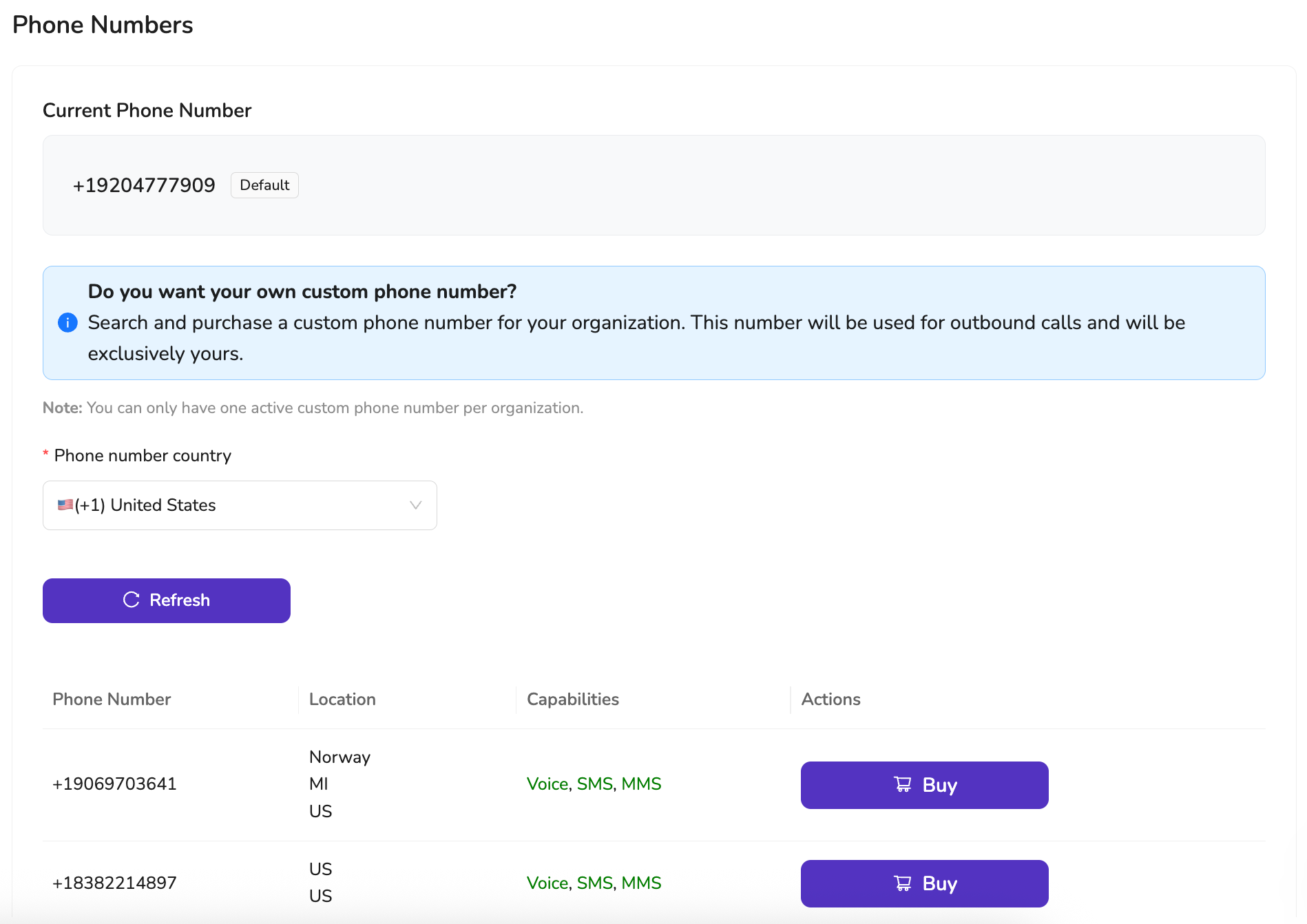
Say goodbye to generic shared numbers—Jamy now lets you purchase your own exclusive phone number for outbound calls. More professional. More reliable. More yours.
🌍 Why It Matters:
✅ Professional Identity — Make calls from a dedicated number with your own area code and country
✅ No more shared numbers — Your number won’t be used by anyone else
✅ Fewer missed calls — People are more likely to pick up calls from consistent, local numbers
✅ Perfect for teams — Assign a number per user or per role, like sales, support, or client onboarding
✅ Seamless experience — Works across Jamy’s browser-based calling just like always
🛠 How to Get Started:
Go to Settings > Phone Numbers or go to https://app.jamy.ai/settings/phonenumbers
Choose your country
Buy and activate your exclusive number in seconds
Your number. Your region. Your voice.
Get started today and give your outbound calls the professional edge they deserve.
—
The Jamy Team 💜
June 25th, 2025
New
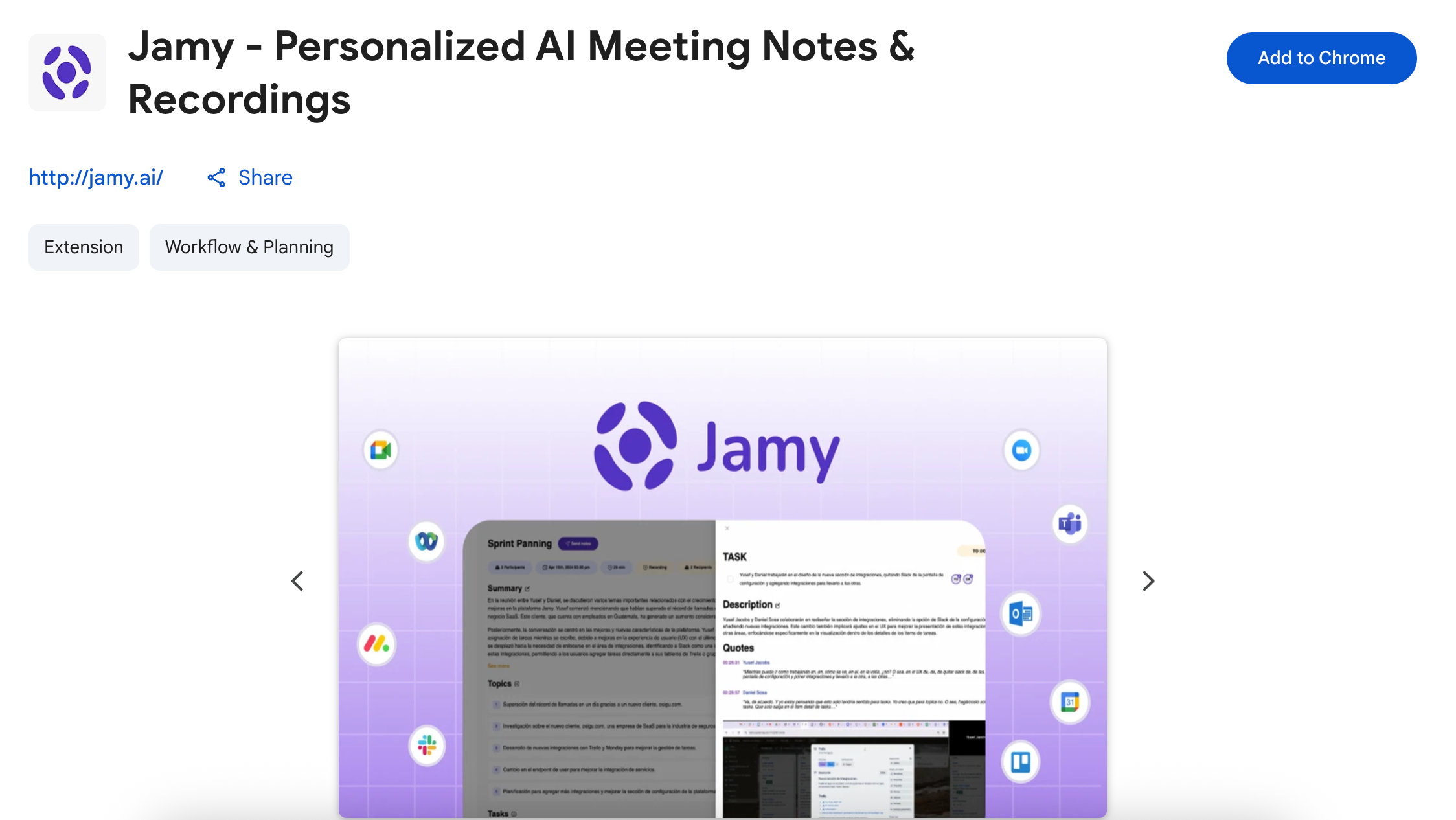
No calendar invite? No problem. With the new Jamy Chrome Extension, you can now add Jamy to any instant meeting—on Google Meet, Zoom, Microsoft Teams, or Webex—with just one click. ⚡
Whether you’re jumping into an unexpected call or hosting an impromptu sync, Jamy’s got your back.
Learn how to use our Chrome extension by reading this article.
Install the chrome extension here.
🧠 What Jamy Chrome Extension Does for You:
✅ Detects ad hoc meetings and offers to join in one click
✅ Records & transcribes your call automatically
✅ Summarizes your meeting with action items, decisions, and highlights
✅ Sends notes directly to your tools like Slack, Trello, Notion, and more
✅ Works only when you choose — fully privacy-first and under your control
⚙️ How It Works:
Start or join any meeting on Google Meet, Zoom, Teams, or Webex
Jamy’s smart prompt appears, offering to join the call
Click once, and Jamy handles the rest: recording, summarizing, and sending notes to your tools
📍 Available now in the Chrome Web Store — here.
Make your spontaneous calls just as productive as the scheduled ones.
Try it out and never lose the details again!
—
The Jamy Team 💜
June 16th, 2025
New
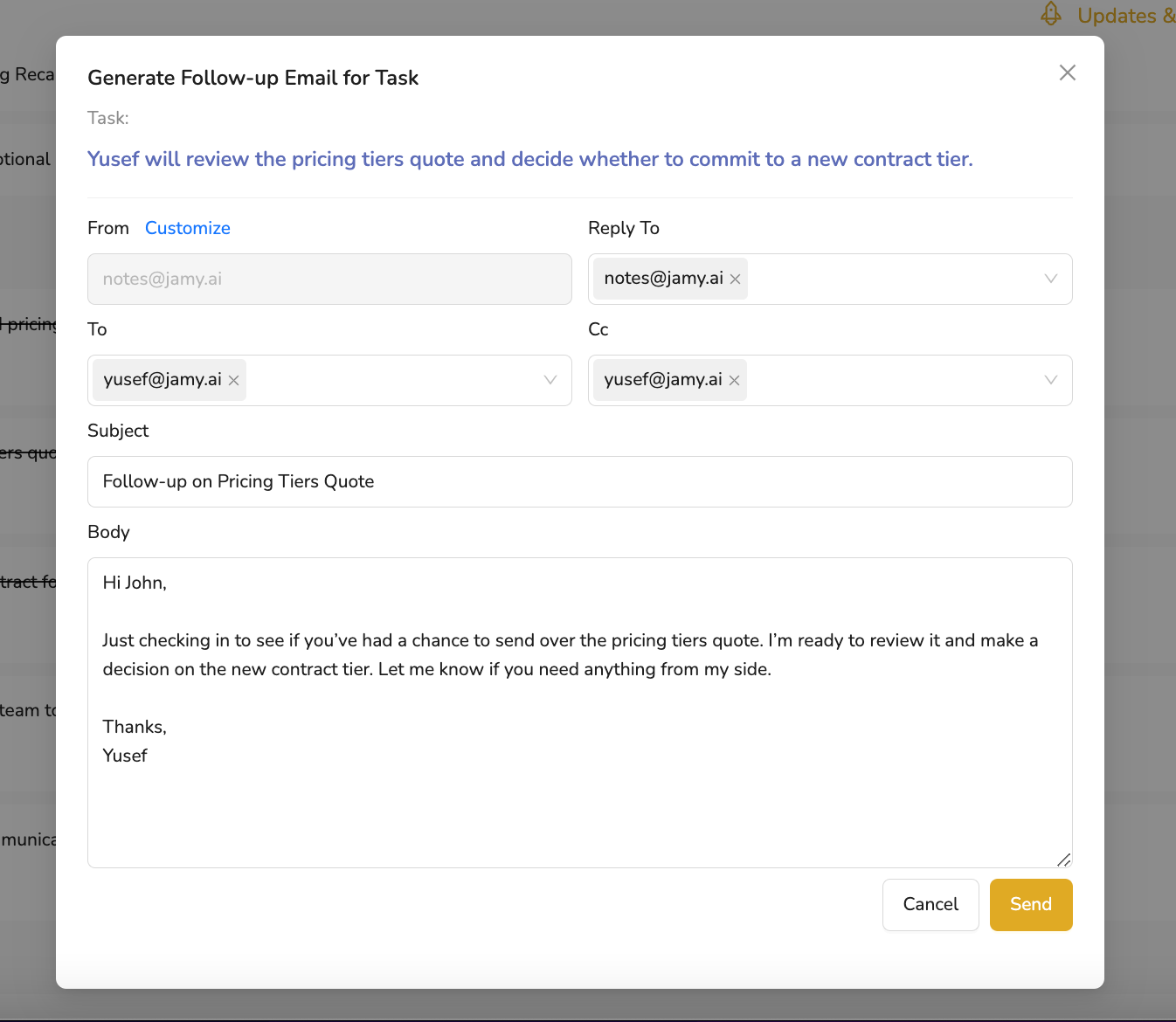
We just made it easier than ever to move meetings into action. Introducing Follow-Ups — a brand-new feature that lets you generate and send follow-up emails with one click, directly from any Task or Topic in your Jamy report. AVAILABLE FOR ALL PLANS AND TIERS!
💡 How it works:
Jamy automatically analyzes the content of the Task or Topic
It generates a subject line and a complete follow-up email body tailored to the context. Jamy also automatically determines the recipient’s email address.
You can review, customize, and hit Send — all within seconds
✅ What you can do:
📩 Generate professional follow-up emails instantly
🧠 Let Jamy handle the wording based on meeting content
🧑💻 Save time and avoid the blank page when it’s time to follow up
📤 Keep accountability and communication moving smoothly after every call
Whether you’re waiting for a contract, a quote, or a next step, Jamy helps you follow through. Forget about meetings that end with no action. Increase accountability and get results!
📍 Try it now:
Open any Task or Topic in your report and click on the email icon on any Topic or Task.
With one click, your follow-up is ready to go. 💥
—
The Jamy Team 💜