🚀 Upgrade: Share Meeting Reports to Specific Slack Channels
Sharing Jamy reports just got smarter and more flexible.
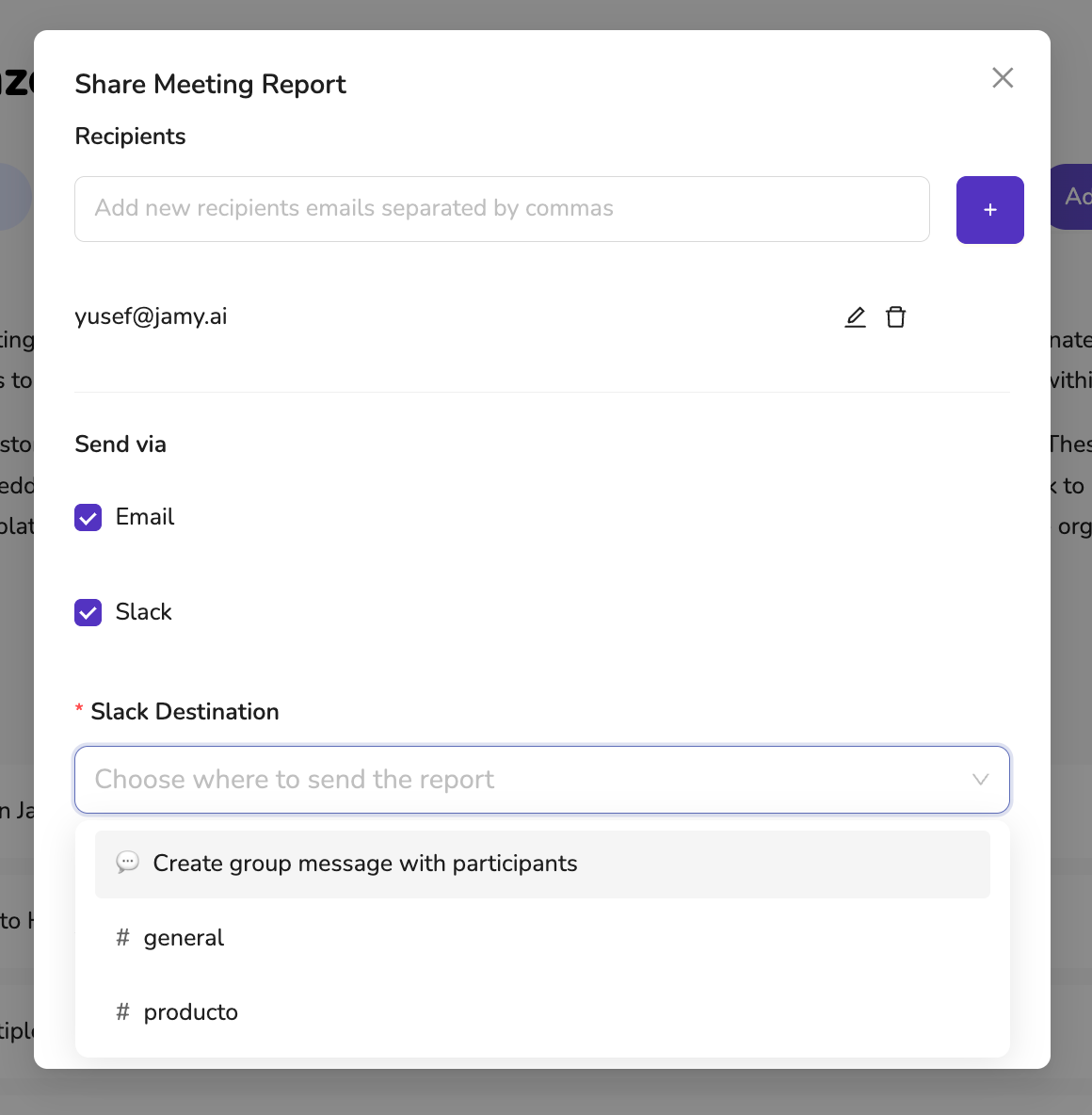
Now, when sending reports via Slack, you can choose exactly where they go—whether that’s a specific channel or a direct group message with the meeting participants.
🔧 What’s New:
✅ Slack Channel Selection – Pick from a list of Slack channels you’re already a member of. Jamy auto-filters the options so you only see channels you can post to.
✅ Create Group Messages – Don’t want to use a channel? Jamy can automatically create a Slack group DM with all meeting participants.
✅ Fully Integrated Workflow – Send to Email and Slack in the same flow, all in one click.
📍 How to Use:
Open any report
Click Share Report
Select Slack as a destination
Choose a channel from the dropdown — or opt to create a private message thread with participants
Click Send Report
With this update, your meeting notes now land in exactly the right place—every time.
—
The Jamy Team 💜